macOS 13.3+ / Apple Silicon and Intel
⌘Pfiles⌘Keverything
Code review, on your Mac

Review your code like a pull request. Let your agent fix what you find.

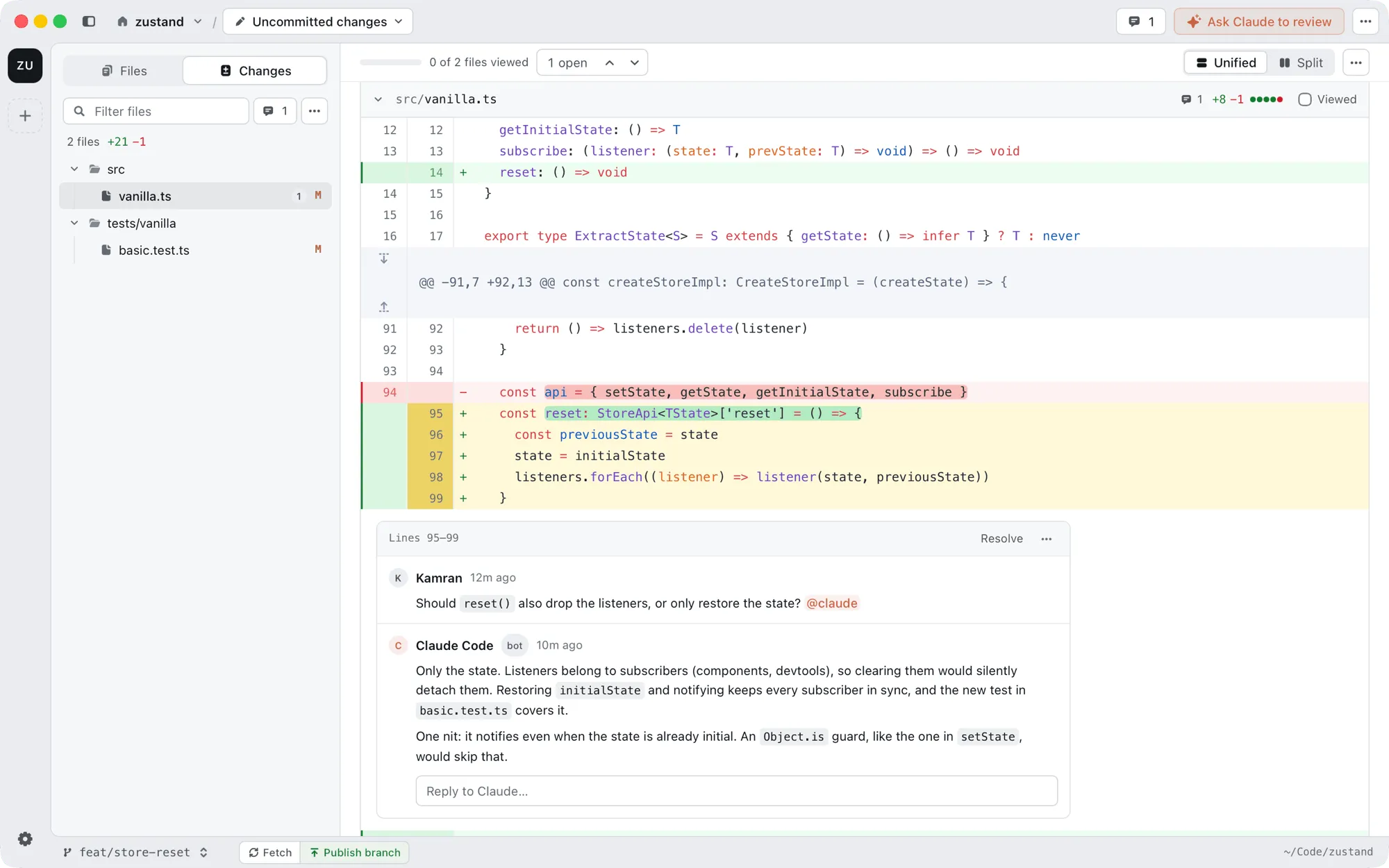
Diffity shows your changes the way GitHub does. Leave comments on any line, then send them to Claude Code or Codex. The agent makes the changes and replies in the same thread.
Download for Macor run diffity in any repo
Diffity showing uncommitted changes with a comment thread answered by Claude
A Mac
Needed
macOS 13.3 or later. Apple Silicon or Intel.
Claude Code or Codex
For AI
One or both, installed and signed in. Review works without them.
Node.js
For AI
Used to talk to your agent. Only the AI features need it.
01

Comment on your diff

Drag across line numbers, or click the + next to a line, and write what you think. You can comment on one line, many lines, a file or the whole change.
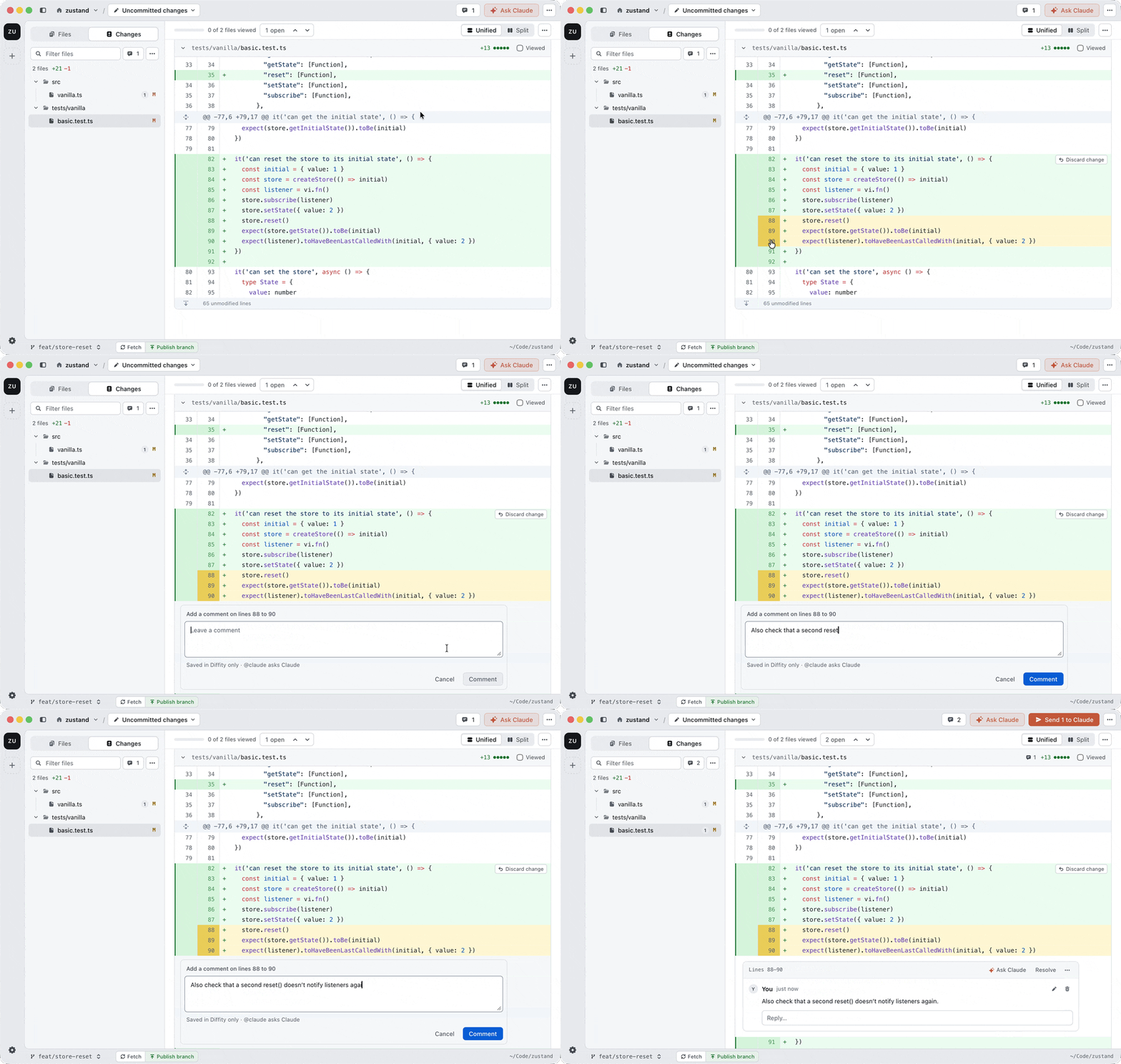
Selecting lines in a diff and leaving a comment
02

Let your agent fix your comments

Click Send. Claude Code or Codex goes through your comments one by one, changes the code and replies in each thread. Then you review its changes like any other diff.
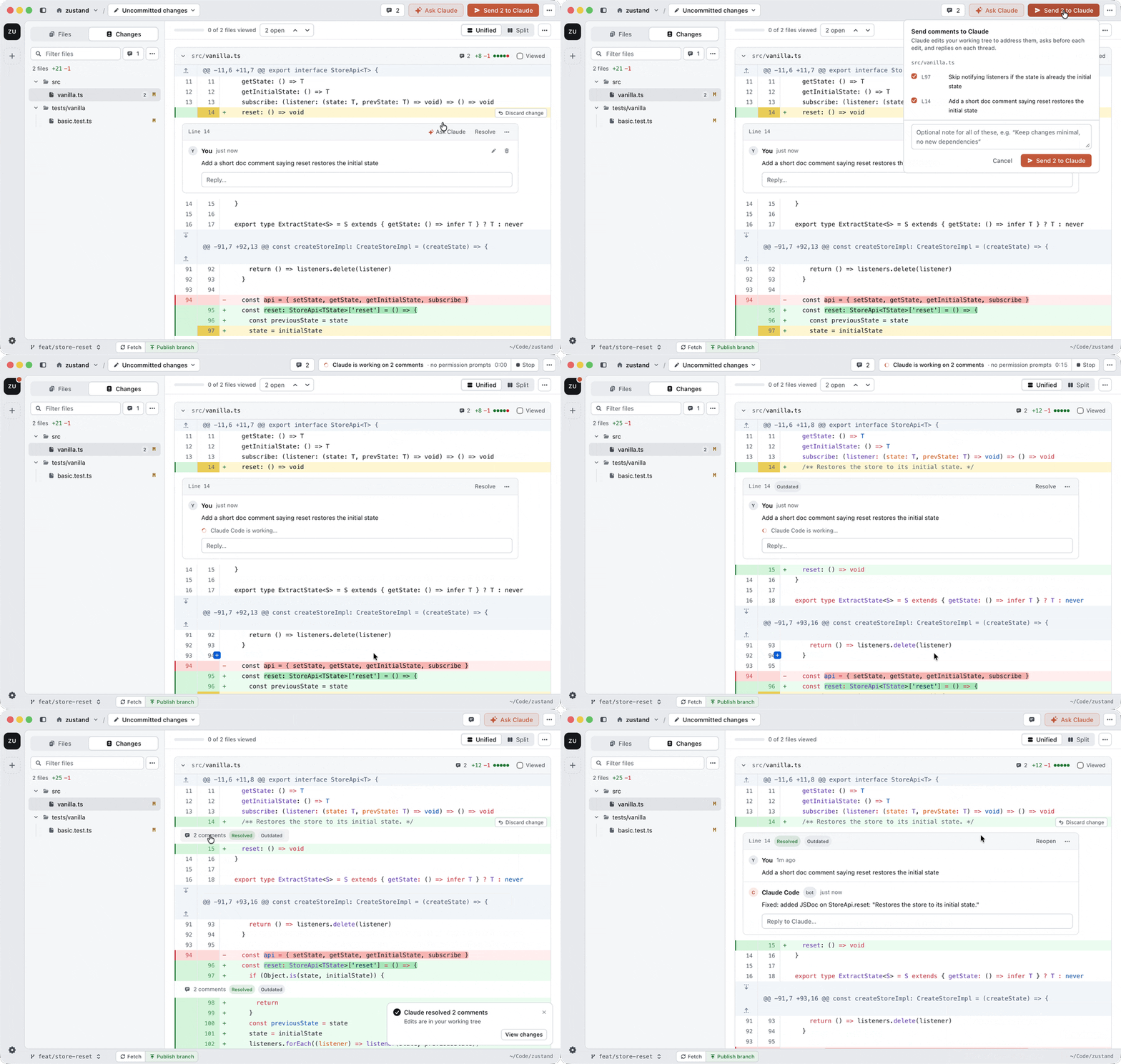
Sending two comments to Claude and its edits and replies landing on the diff
03

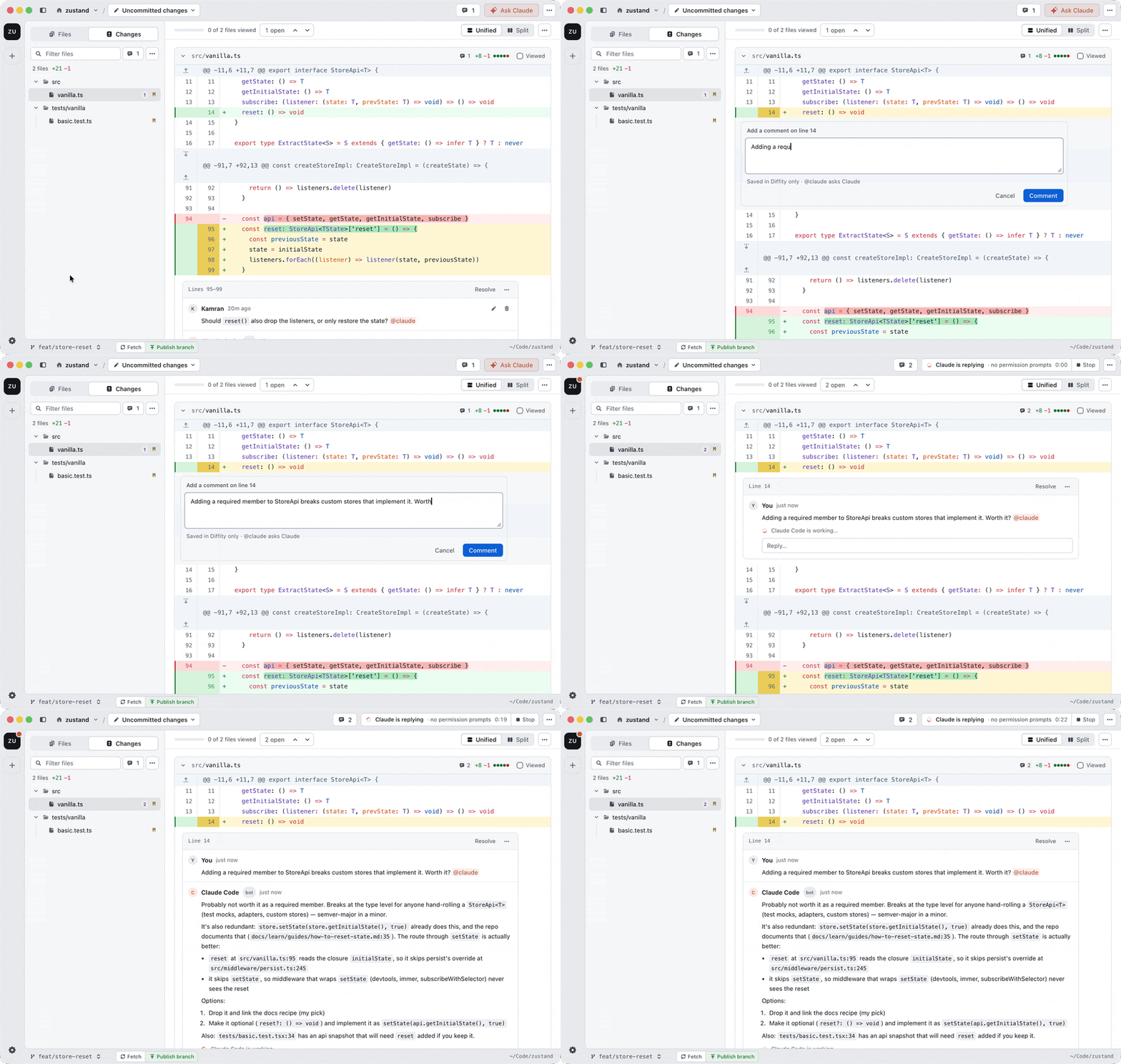
Ask @claude or @codex

Not sure about something? Mention an agent in any comment and it answers right there in the thread.
@claude·asks Claude Code
@codex·asks Codex
Reply to an agent·your reply goes back to the same agent
Mentioning @claude in a comment and Claude replying in the thread
04

Get a review from your agent

Ask for a review and, if you like, say what to look at. The agent reads the diff and leaves comments on the lines that matter, while you watch.
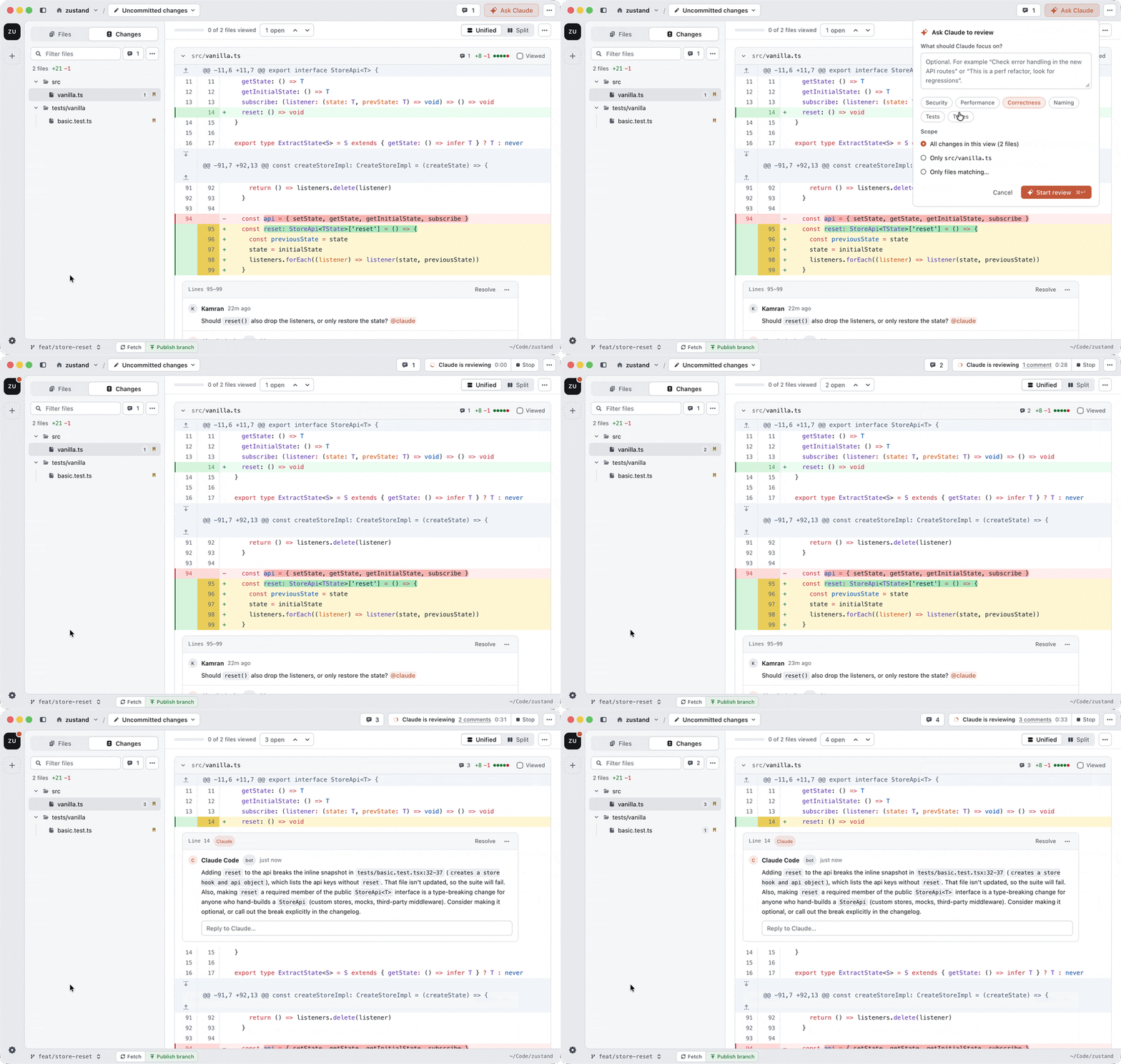
Asking Claude to review and its comments appearing on the diff
05

Pick your agent and model

New

Use Claude Code, Codex or both. The model menu lists the models of every agent you have installed, grouped by agent, so picking a model also picks the agent. You can also pick how much effort it puts in.

Per task·pick a model for reviews, fixes and replies
Per project·Diffity remembers your last pick
Per thread·change it for one reply only
Defaults·set them in Settings → Agents
Always current·new models show up without a Diffity update
Install an agent
Then sign in
npm i -g @anthropic-ai/claude-codeClaude Code, then run claude to log in
npm i -g @openai/codexCodex, then run codex login
06

Review any commit or range

Pick what you want to see from the menu next to the project name.
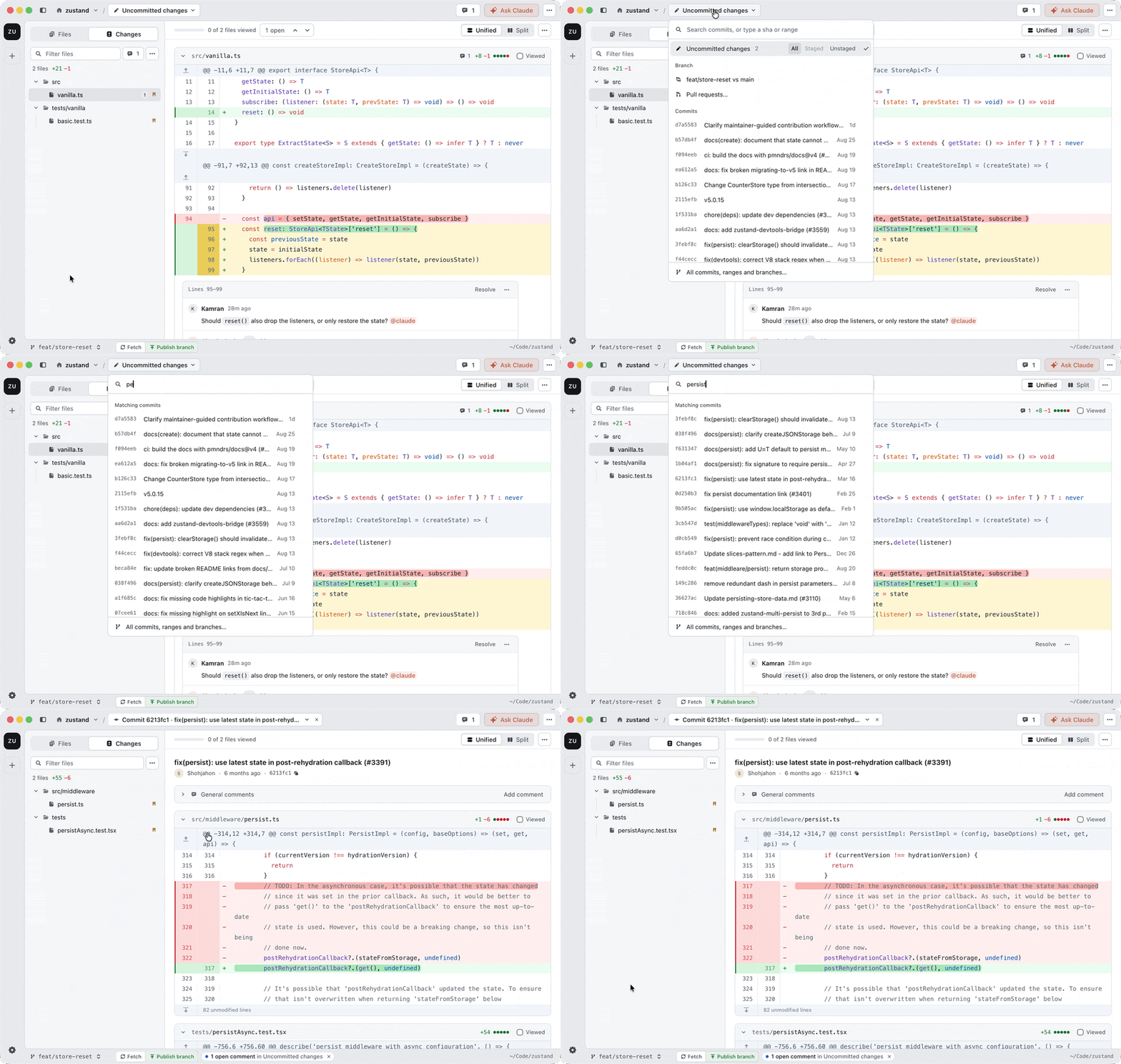
Uncommitted changes·what you are working on right now
A commit·search and open any commit
A range·everything between two commits
A branch·all the work since it left main, uncommitted edits included
Searching commits in the ref picker and opening one
07

Review pull requests

Pick a pull request from the branch menu. Diffity checks it out on your Mac, so you can read it, run it and comment as you go. Comments stay with each branch.
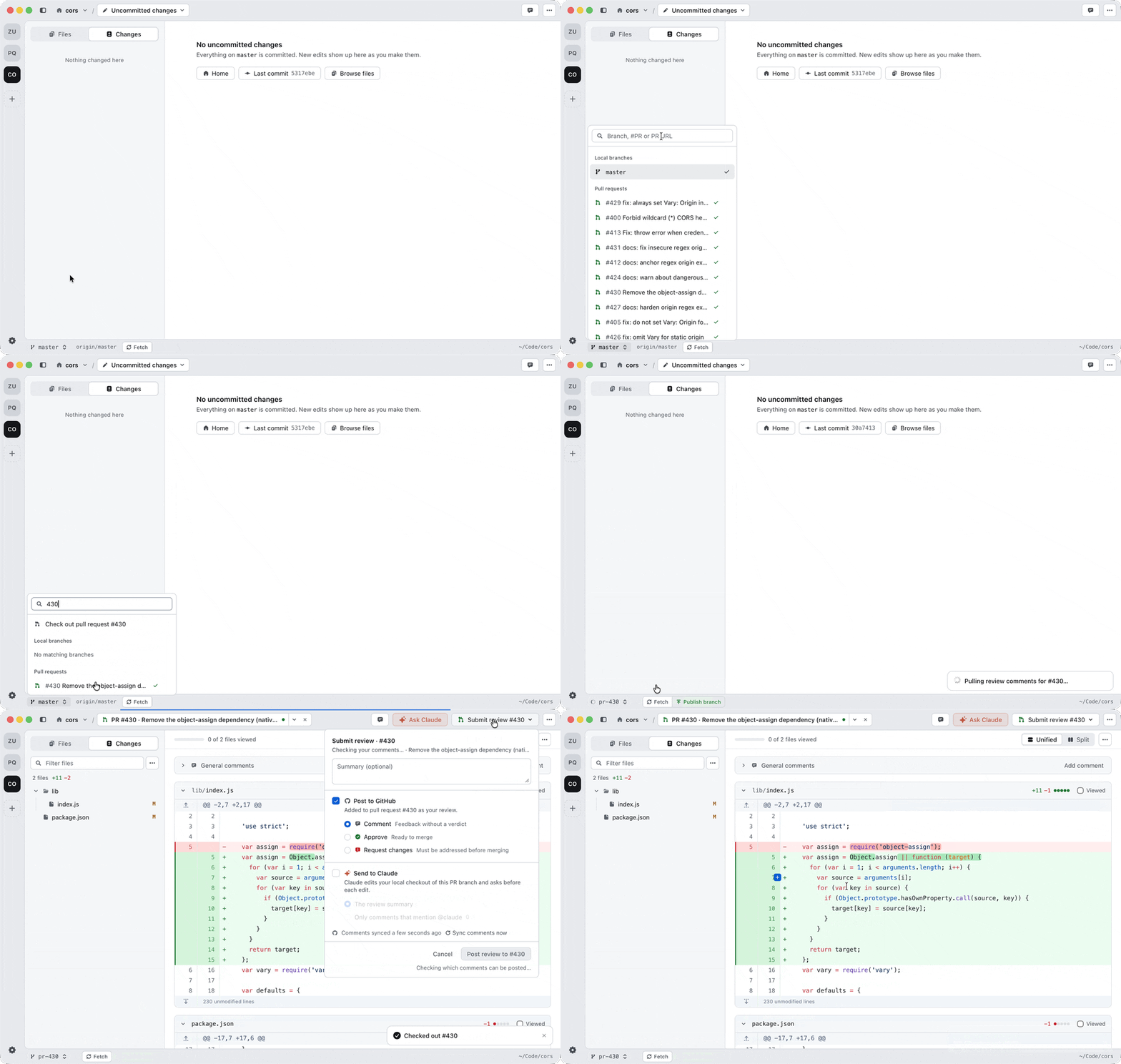
Checking out a pull request from the branch switcher and opening the review panel
08

Post your review to GitHub

When you are done, click Submit review. Comments from GitHub show up in the diff too, so you can reply or resolve them from the app.
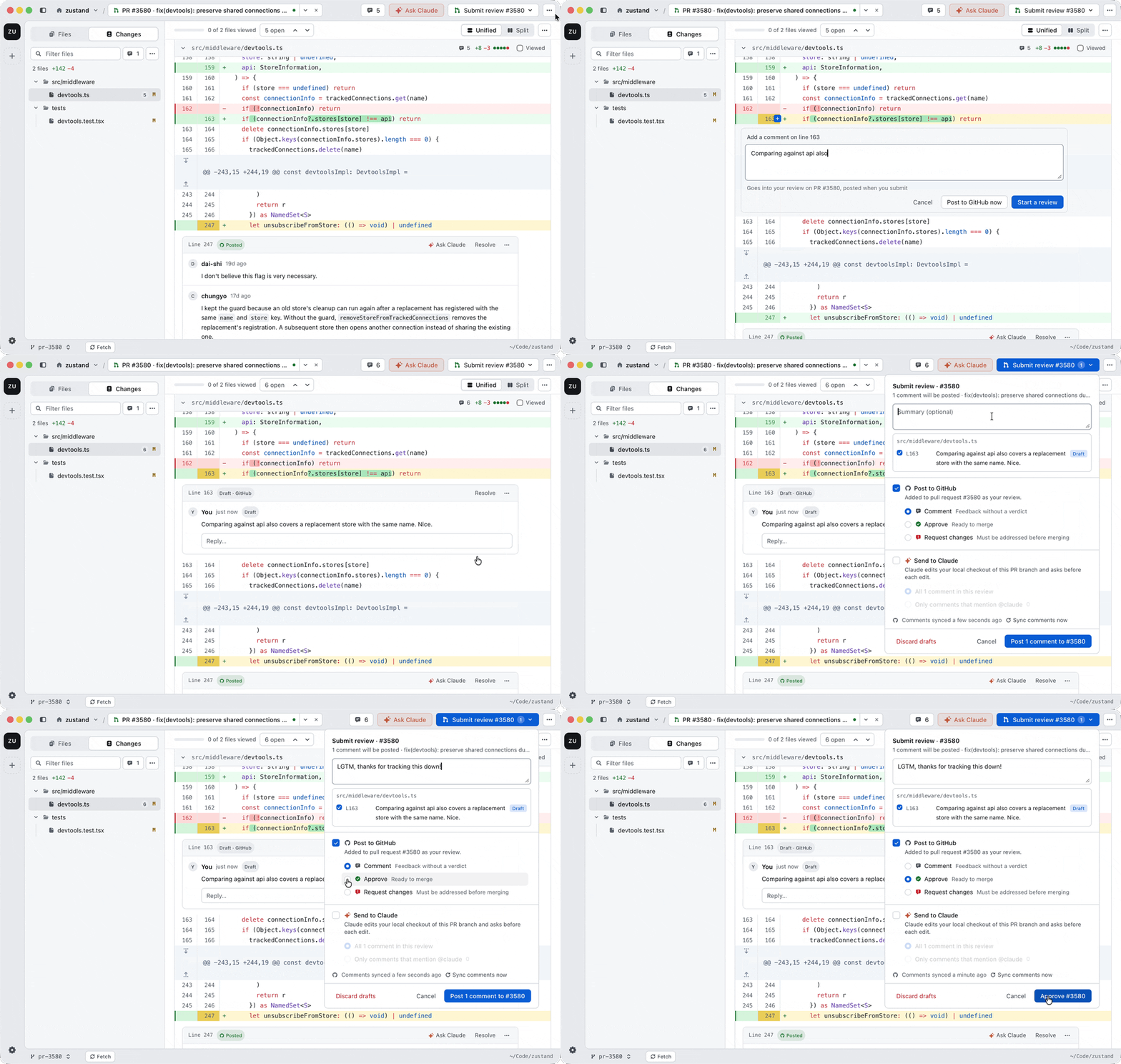
Comment·share notes without a verdict
Approve·good to merge
Request changes·needs more work first
Drafting a review comment on a pull request next to synced GitHub threads and approving it
09

Comment on any file

Open the Files tab, pick any file in the repo and comment on its lines. Even code the diff does not touch. Big files stay fast.
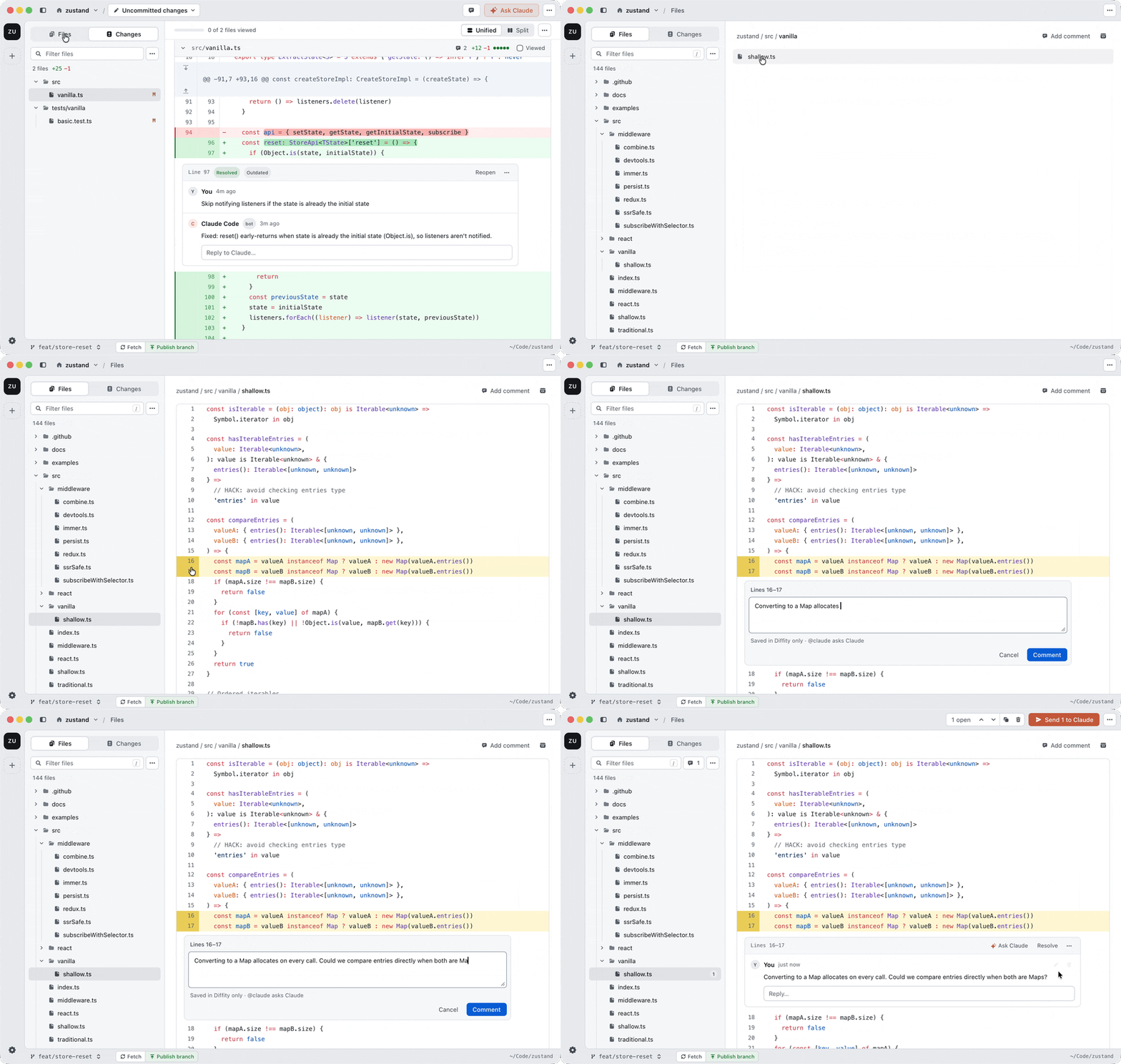
Opening a file from the Files tab and commenting on two of its lines
10

Jump anywhere

Keep your hands on the keyboard.
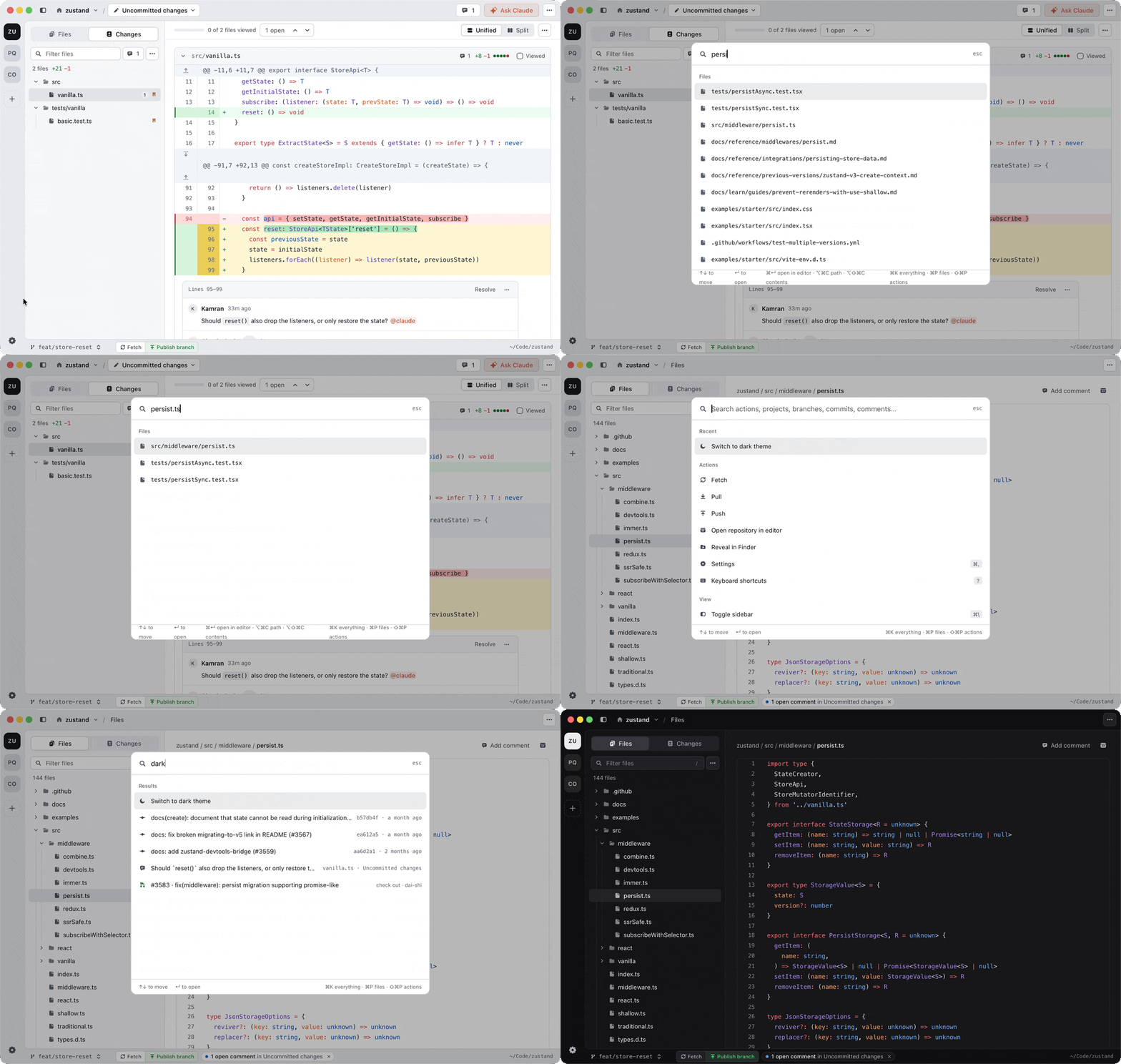
⌘POpen a file·any file in the repo
⌘KSearch everything·commits, comments, pull requests and every action
⌘FFind in the diff·searches every file, even collapsed ones
⌘GNext match·jump to the next result
Opening a file with Command P and switching to dark theme with Command K
11

Switch projects

Open a repo once and it stays in the left rail.
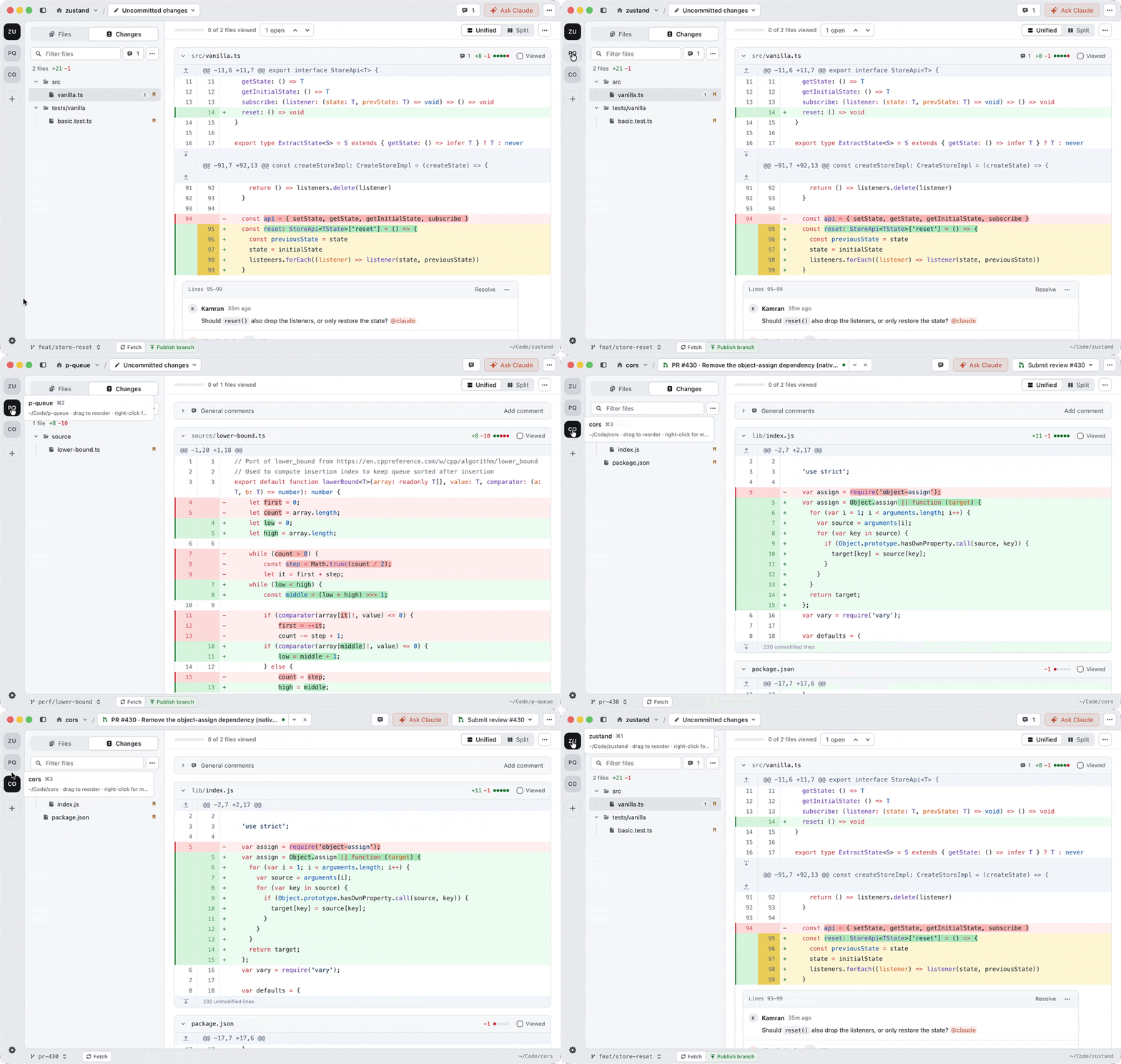
⌘OOpen a repo·add it to the rail
⌘1–9Go back to it·one key per project
Switching between projects in the rail
12

Open it from the terminal, or from your agent

Install the command once from the app menu: Diffity → Install ‘diffity’ Command. Then run it anywhere. Your agent can run it too, so you can ask Claude Code or Codex to open its changes in Diffity before it opens a PR.

Terminal
zsh
diffityyour uncommitted changes
diffity ~/code/appanother repo
diffity --ref maineverything on this branch since main
diffity --ref HEAD~1..HEADthe last commit
diffity github.com/owner/repo/pull/42check out and review a PR
diffity src/app.tsone file, in the Files tab
diffity -nin a new window
13

And the small things

Details that make long reviews easier.

Changed since you viewed it·a viewed file opens up again when it changes
Hide generated files·add a .diffityignore and they stay out of your diffs
Mermaid diagrams·drawn right in the diff, in light and dark
Colour-blind friendly·switch the diff to blue and orange
Split or unified·change the layout any time
Light or dark·follows your Mac, or pick one
Clean up·delete comments and chats per project from Settings → Data
Updates itself·new versions install in place

Free and open source. Try it on your next diff.